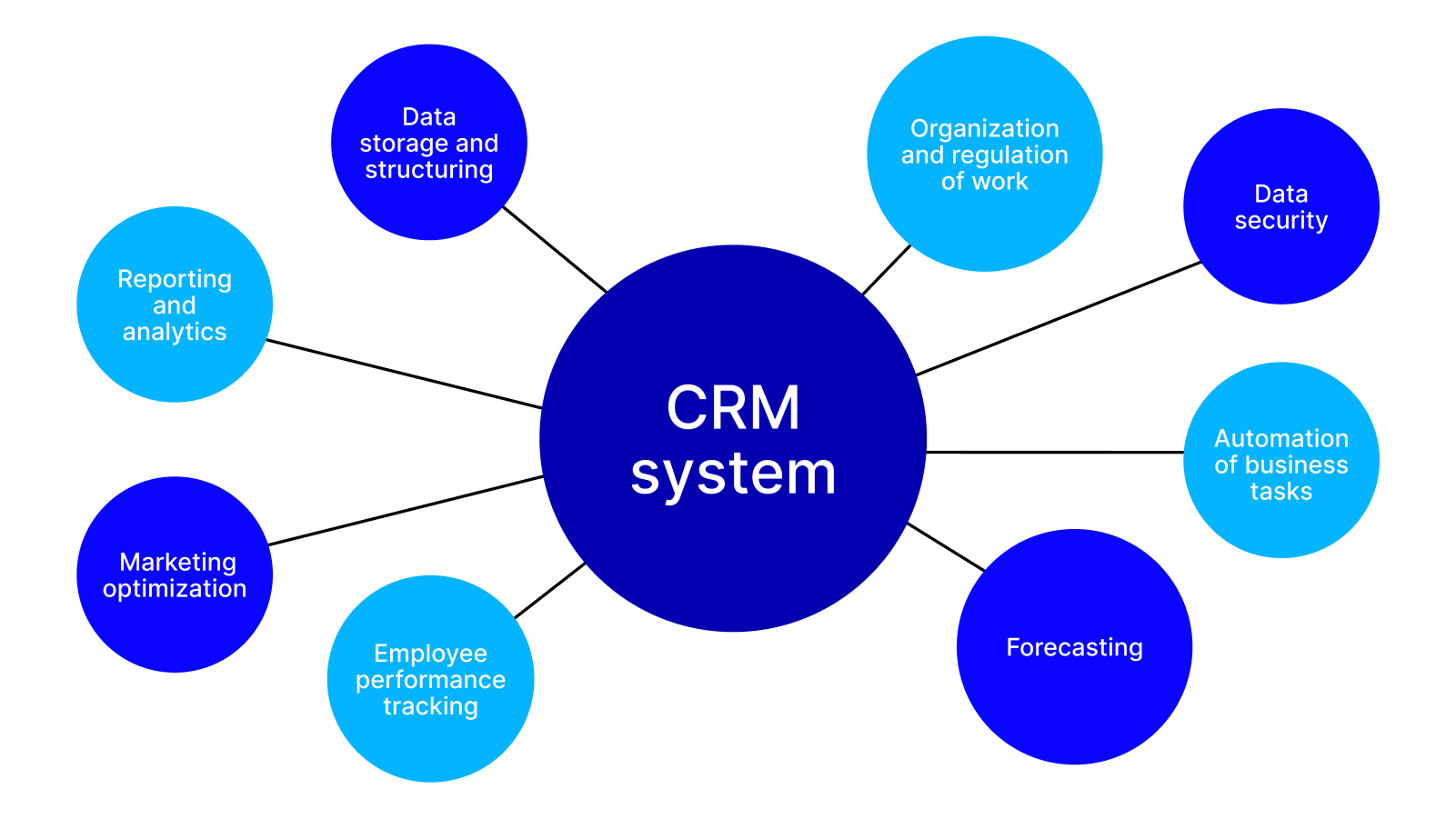
Salesforce CRM stands as a pivotal player in the world of customer relationship management, revolutionizing the way businesses connect with their clients. Imagine a platform where automation seamlessly enhances productivity and data-driven insights guide strategic decisions. This is precisely what Salesforce CRM offers, making it an essential tool for organizations aiming to thrive in a competitive marketplace.
From its robust core features to innovative integrations with other tools, Salesforce CRM provides a comprehensive solution tailored to meet varied business needs. Understanding its capabilities can unlock new levels of efficiency and customer engagement, ensuring that companies not only meet but exceed their sales goals.
Understanding the Core Features of Salesforce CRM
Salesforce CRM has become a cornerstone for businesses aiming to improve their customer relationship management. Its robust platform offers an array of features that cater to various business needs, making it an ideal choice for companies of all sizes. The flexibility and scalability of Salesforce allow businesses to tailor their CRM experience according to their specific requirements, ensuring they maximize customer engagement and optimize operations.
Salesforce CRM’s main features include its comprehensive customer data management capabilities, advanced analytics, and customizable dashboards. These tools empower businesses to gain deep insights into customer behaviors and preferences, enabling personalized marketing and sales strategies. Furthermore, Salesforce’s powerful reporting tools facilitate data visualization, allowing teams to make informed decisions based on real-time information. The platform supports collaboration across departments, ensuring that all team members have access to essential customer data which fosters a unified approach to customer interactions.
Role of Automation in Salesforce CRM
Automation is a key factor that enhances productivity within Salesforce CRM. By automating routine tasks, businesses can free up valuable time for their teams to focus on strategic initiatives. Salesforce allows users to create workflows that automatically trigger actions based on specific criteria, such as sending follow-up emails after a lead is created or assigning tasks to team members when certain milestones are reached.The benefits of automation are numerous:
- Increased efficiency: By reducing manual data entry and repetitive tasks, automation significantly cuts down on time, allowing employees to concentrate on more complex tasks.
- Consistent follow-ups: Automated reminders and follow-ups ensure no leads fall through the cracks, improving conversion rates.
- Enhanced lead management: With automated lead scoring and nurturing processes, businesses can prioritize their efforts on high-value prospects.
“Automation streamlines processes, allowing teams to focus on building relationships rather than getting bogged down in administrative tasks.”
Integration with Other Tools and Platforms
Salesforce CRM is renowned for its ability to seamlessly integrate with a variety of other tools and platforms, allowing businesses to expand their capabilities. This integration helps create a more cohesive ecosystem that enhances operational efficiency.For example, Salesforce integrates with marketing automation platforms like Mailchimp, enabling users to synchronize their marketing campaigns and track customer engagement directly within Salesforce. Additionally, it connects with productivity tools such as Slack, allowing for real-time communication and collaboration among team members.
Financial platforms like QuickBooks can also be integrated, helping to streamline billing and financial reporting processes.These integrations make Salesforce a versatile tool that not only manages customer relationships but also aligns with existing business processes, improving overall productivity and providing a comprehensive view of customer interactions across multiple touchpoints.
The Impact of Salesforce CRM on Sales Processes
Salesforce CRM has revolutionized the way businesses approach their sales processes. Traditionally, sales teams relied on manual methods, scattered data, and inefficient communication. However, with Salesforce, organizations can streamline their sales operations, resulting in enhanced productivity and higher revenue. By integrating various tools and functionalities, Salesforce transforms the sales landscape into a more organized and efficient system, allowing for better alignment with customer needs and market demands.Salesforce CRM introduces a variety of features that significantly optimize traditional sales processes.
One of the most notable transformations is the automation of routine tasks. This allows sales representatives to focus on what truly matters: building relationships and closing deals. With a centralized platform for data management, sales teams can access essential information in real time, leading to quicker decision-making and enhanced agility in responding to customer inquiries. This shift from a manual to a digital work environment not only increases efficiency but also ensures that sales activities are more data-driven.
Tracking and Managing Sales Metrics
Salesforce CRM provides a comprehensive suite of tools that help track and manage crucial sales metrics. Understanding these metrics is vital for organizations to gauge their performance and to strategize effectively. Salesforce enables users to monitor various key performance indicators (KPIs) that reflect the health of their sales processes. These include:
- Lead Conversion Rate: The percentage of leads that convert into actual sales, reflecting the effectiveness of the sales team’s efforts.
- Sales Cycle Length: The average time it takes to close a deal, providing insight into efficiency and potential bottlenecks.
- Opportunity Win Rate: The ratio of closed deals to total opportunities, indicating overall sales performance.
- Average Deal Size: This metric helps in understanding the value of sales and can guide future sales strategies.
- Sales Forecast Accuracy: The precision of sales predictions compared to actual outcomes, which is crucial for strategic planning.
By leveraging these metrics, sales teams can make informed decisions, identify areas for improvement, and ultimately increase revenue.
Facilitating Better Customer Relationships and Follow-Ups
A cornerstone of Salesforce CRM is its ability to foster better customer relationships. The platform centralizes customer data, enabling sales teams to gain a complete view of customer interactions and preferences. This holistic approach allows for personalized communication that resonates with customers, leading to stronger relationships. Salesforce facilitates timely follow-ups by automating reminders and tracking customer interactions.Salesforce’s tools, such as email integration and customer segmentation, enhance engagement strategies.
For example, a sales representative can segment their contacts based on previous purchases and preferences, ensuring that they send tailored offers that are more likely to convert. Furthermore, the platform’s analytics capabilities provide insights into customer behavior, enabling sales teams to anticipate needs and proactively address concerns. This proactive approach not only enhances customer satisfaction but also builds loyalty, leading to repeat business and referrals.Overall, Salesforce CRM is not just a tool for tracking sales; it is a transformative platform that redefines the sales process, promotes data-driven decision-making, and enriches customer relationships.
Customization and Flexibility of Salesforce CRM Solutions

Salesforce CRM solutions are renowned for their high level of customization and flexibility, enabling businesses to tailor the platform according to their specific needs and challenges. This adaptability is one of the key features that makes Salesforce a leader in customer relationship management. With a range of available options, organizations can design their systems to perfectly align with their workflows, enhancing efficiency and productivity.Salesforce offers an extensive array of customization options, allowing businesses to modify their CRM experience down to the minutest detail.
Users can create custom fields, modify page layouts, and design personalized objects to capture the unique data relevant to their operations. Additionally, Salesforce’s powerful automation tools, such as Process Builder and Flow, enable the creation of custom workflows tailored to streamline processes specific to an organization’s needs.
Comparison of Standard and Customized Solutions
The standard setup of Salesforce provides a solid foundation for businesses to manage customer relationships effectively. However, as companies grow and their needs evolve, they often find that standard solutions may not capture the nuances of their operations. Customized solutions fill this gap, allowing businesses to leverage Salesforce’s capabilities more effectively. Customized solutions can include the following features:
- Custom Objects: While standard objects may suffice for some businesses, custom objects allow companies to design a data structure that closely mirrors their unique operations.
- Tailored Reports and Dashboards: Custom reports and dashboards provide insights into metrics that matter most to a specific business, enabling better decision-making.
- Personalized User Interfaces: Customizing the UI enhances user experience, ensuring that employees can navigate the system intuitively.
- Integration with Third-Party Applications: Customized solutions can seamlessly integrate Salesforce with other tools and applications that a business relies on, improving overall functionality.
The importance of user roles and permissions in the customization of Salesforce CRM cannot be overstated. Defining user roles ensures that the right people have access to the appropriate data and functionalities, which is critical for maintaining data integrity and security. Custom profiles can be created to align with different roles within the organization, providing tailored experiences based on individual responsibilities.
User permission sets allow organizations to extend or limit access to specific features or data points, further enhancing security and control. By managing access effectively, companies can ensure that sensitive information remains protected while empowering users to perform their jobs efficiently.
Effective customization in Salesforce CRM not only improves user experience but also enhances data security and operational efficiency.
The Importance of Reporting and Analytics in Salesforce CRM

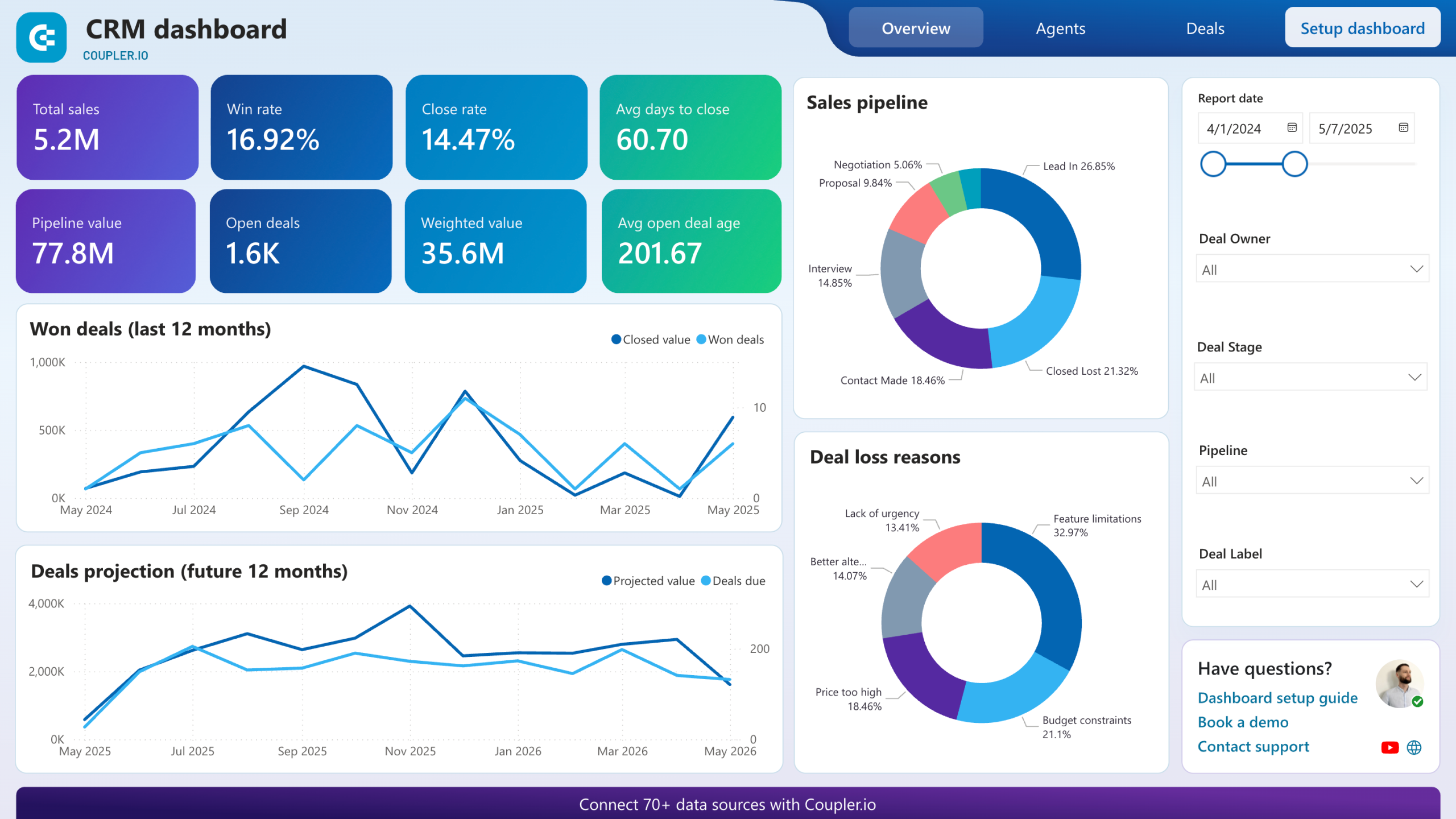
Salesforce CRM is not just a tool for managing customer relationships; it also provides robust reporting and analytics capabilities that empower businesses to make informed decisions. These features allow users to transform raw data into actionable insights, facilitating strategic planning and operational improvements. By leveraging Salesforce’s comprehensive reporting tools, organizations can track performance metrics, identify trends, and pinpoint areas needing attention.Reporting capabilities in Salesforce CRM significantly enhance decision-making by offering a clear view of business performance.
Users can generate customized reports that encompass various metrics such as sales performance, customer engagement, and lead conversion rates. This data-driven approach allows executives and managers to identify which strategies are effective and which require adjustment. For instance, a company may discover through Salesforce reports that a particular marketing campaign is yielding higher conversion rates, prompting them to allocate more resources in that direction.
Types of Analytics Generated and Their Relevance
Salesforce CRM supports various types of analytics that can be crucial for shaping business strategy. These analytics can be broadly categorized into:
- Descriptive Analytics: This type provides insights into past performance, helping organizations understand their historical data, such as sales trends and customer interactions.
- Diagnostic Analytics: It focuses on understanding the reasons behind certain outcomes. For instance, if sales decreased, this analytics type can help uncover potential causes, such as customer feedback or market changes.
- Predictive Analytics: Salesforce uses machine learning algorithms to analyze historical data and predict future outcomes. For example, predicting which leads are more likely to convert based on past behavior.
- Prescriptive Analytics: This advanced analytics type provides recommendations for actions that can improve business outcomes, such as optimizing resource allocation or targeting specific customer segments.
The power of analytics lies in their ability to guide strategic initiatives. By understanding past behaviors and predicting future trends, organizations can better align their strategies with market needs.
Creating Dashboards and Visualizing Data
Visualizing data effectively is essential for ensuring that insights derived from analytics are easily understood and actionable. Salesforce offers tools to create dynamic dashboards that showcase key metrics at a glance. To create a dashboard, users can follow these key steps:
1. Define Objectives
Clearly Artikel what insights the dashboard should provide and who the audience is.
2. Select Components
Choose from various components available in Salesforce, such as charts, graphs, and tables, to represent data visually.
3. Customize Layout
Arrange components in a way that highlights the most important information. Utilize colors and labels to enhance clarity.
4. Integrate Real-time Data
Enable real-time data updates to ensure that the dashboard reflects the most current information.
5. Share and Collaborate
Share the dashboard with team members to foster collaboration and collective decision-making.
Dashboards in Salesforce not only enhance visibility but also facilitate quick insights, helping teams stay aligned with their goals.
By effectively using reporting and analytics, Salesforce CRM empowers organizations to drive growth and achieve competitive advantages.
Integrating Salesforce CRM with Marketing Automation Tools
Integrating Salesforce CRM with marketing automation tools can significantly streamline processes, enhance lead nurturing, and boost overall sales effectiveness. This integration allows businesses to create a seamless flow of information between their sales and marketing teams, leading to better collaboration and more effective customer engagement.The integration of Salesforce CRM with marketing automation platforms offers numerous benefits for lead generation and nurturing.
By unifying these systems, businesses can track customer interactions, segment their audience more effectively, and deliver personalized marketing campaigns. This level of coordination ensures that leads are nurtured through the sales funnel at the right pace, enhancing the chances of conversion. For instance, when a lead interacts with a marketing campaign, this information is captured in Salesforce, allowing sales teams to respond with tailored messaging based on the lead’s interests and behaviors.
Step-by-Step Guide to Setting Up Integration
Establishing a successful integration between Salesforce and your chosen marketing automation tool is crucial for maximizing efficiency. Here’s a step-by-step guide to help you get started:
1. Choose the Right Marketing Automation Tool
Evaluate various marketing automation platforms that best suit your business needs. Popular options include HubSpot, Marketo, and Pardot, each offering unique features tailored for different business goals.
2. Connect Salesforce and the Marketing Tool
Most marketing automation platforms offer built-in connectors for Salesforce. Access the integration settings in your marketing tool and follow the prompts to link your Salesforce account. This usually involves logging into Salesforce and granting necessary permissions.
3. Map Fields and Data
Ensure that the relevant data fields in Salesforce correspond to those in your marketing automation tool. Proper field mapping is essential for data consistency and accuracy. For example, ensure that fields like name, email, and phone number are aligned to facilitate effective communication.
4. Set Up Lead Scoring
Implement lead scoring within your marketing automation tool to prioritize leads based on engagement levels. This allows sales teams to focus on the most promising prospects, increasing efficiency in lead follow-up.
5. Test the Integration
Before going live, conduct thorough testing to confirm that data flows seamlessly between systems. Check for any discrepancies and ensure that leads are being captured and updated accurately in Salesforce.
6. Monitor and Optimize
After the integration is live, continuously monitor the performance of your campaigns and the flow of data. Use insights gained from analytics to refine marketing strategies and improve lead nurturing processes.
“Integrating Salesforce with marketing automation tools can transform your lead generation strategy by creating a unified platform for tracking and nurturing leads.”
Best Practices for Implementing Salesforce CRM in an Organization
A successful implementation of Salesforce CRM can significantly enhance customer relationships, streamline processes, and drive sales growth. However, realizing its full potential requires careful planning and execution. The following best practices can guide organizations through a fruitful implementation journey.
Understanding Organizational Needs
It is essential to comprehend the specific needs and goals of your organization before embarking on the Salesforce CRM journey. Engage stakeholders across various departments to gain insights into their expectations and requirements. This understanding will help in customizing Salesforce functionalities to align with the organization’s objectives and workflows.
Effective Change Management
Change management is a critical aspect of Salesforce implementation. Organizations often face resistance from employees accustomed to existing processes. To mitigate this challenge, a structured change management strategy should be developed. This includes:
- Communication: Clearly articulate the benefits of the new system and how it will improve daily operations.
- Training: Provide comprehensive training sessions tailored to different user groups to enhance their confidence in using the CRM.
- Support: Establish a support system where users can seek help during and after the transition.
Data Quality and Migration
Data quality is pivotal in determining the success of your Salesforce CRM implementation. Before migrating existing data to Salesforce, ensure that the data is clean, accurate, and relevant. This may involve:
- Data Cleansing: Identifying and correcting inaccuracies or duplicate entries in the existing database.
- Data Mapping: Defining how data from legacy systems will be structured and organized in Salesforce.
Rigor in data preparation can significantly enhance the user experience and system performance.
Customization and Integration
Leveraging Salesforce’s customization capabilities can maximize its effectiveness. Identify key areas where customization is necessary and utilize Salesforce’s features to modify the platform according to your specific needs. Additionally, integrating Salesforce with existing systems (like ERP or marketing platforms) can streamline operations and provide a unified view of customer interactions.
Checklist for Smooth Transition to Salesforce CRM
A smooth transition to Salesforce CRM can be achieved by following a structured checklist:
- Define project scope and objectives.
- Assemble a dedicated implementation team.
- Conduct thorough requirements gathering.
- Develop a detailed project plan with timelines.
- Choose the right deployment method (cloud or hybrid).
- Perform data cleansing and migration activities.
- Customize Salesforce based on business requirements.
- Implement training programs for end-users.
- Establish post-implementation support and feedback mechanisms.
By adhering to these best practices and addressing potential challenges proactively, organizations can ensure a successful Salesforce CRM implementation that enhances their operations and drives growth.
The Role of Training and Support in Maximizing Salesforce CRM Utilization

Investing in Salesforce CRM is a significant decision for any organization, but realizing its full potential requires more than just implementation. Comprehensive training and robust support systems are key components that enable users to harness the platform effectively. Without adequate training, even the most sophisticated CRM tools can remain underutilized, leading to missed opportunities and inefficiencies.Effective training plays a vital role in ensuring that users are not only familiar with the basic functionalities of Salesforce but also competent in leveraging its advanced features.
With a myriad of tools available, users need to understand how to customize their dashboards, automate processes, and analyze data to drive strategic decisions. Training programs can include hands-on workshops, interactive tutorials, and certification courses that cater to varying skill levels. These programs empower users with the confidence they need to navigate the system efficiently and enhance their productivity.
Support Resources for Salesforce CRM Users
Various support resources are available to assist Salesforce users in overcoming challenges and maximizing their CRM experience. These resources ensure that all users have access to the help they need at any given time.
Trailhead
Salesforce’s online learning platform offers a wide range of modules and trails tailored to different roles and expertise levels. Users can learn at their own pace through engaging, gamified content.
Salesforce Community
A vibrant network of users and experts who share knowledge, best practices, and solutions to common problems. This community can be invaluable for peer support and networking.
Salesforce Help & Training
An extensive library of articles, documentation, and FAQs that cover every aspect of Salesforce. This resource is crucial for quick troubleshooting and self-service learning.
Dedicated Support Teams
Organizations can opt for Salesforce’s premium support services to gain access to experts who can provide personalized assistance and guidance when needed.Continuous learning and development are essential in the ever-evolving landscape of CRM technology. As Salesforce regularly updates its platform with new features and functionalities, staying informed is crucial. Participating in ongoing training initiatives not only keeps users updated but also fosters a culture of innovation within the organization.
Teams that invest in continuous learning are often better equipped to adapt to changes, leading to improved efficiency and a more agile business model.
“Continuous learning transforms challenges into opportunities for growth within the Salesforce ecosystem.”
Implementing a structured training program along with accessible support resources empowers users to fully utilize Salesforce CRM. This approach not only enhances individual performance but also contributes to overall organizational success by streamlining processes and providing deeper insights into customer relationships.
Future Trends in CRM Technology and Salesforce’s Position

The landscape of Customer Relationship Management (CRM) is rapidly evolving, influenced by advancements in technology and changing customer expectations. As organizations strive to deliver personalized experiences, CRM systems are becoming more sophisticated, integrating artificial intelligence (AI), machine learning (ML), and automation to enhance efficiency and customer engagement. Salesforce, a leader in the CRM space, is poised to leverage these trends to maintain its competitive edge.Emerging trends in CRM technology are reshaping how businesses interact with their customers.
One significant aspect is the increasing adoption of AI and automation, which streamlines processes and provides insights that drive customer satisfaction. Businesses are now utilizing predictive analytics to forecast customer behavior, enabling more tailored marketing strategies. Additionally, the integration of omnichannel communication is becoming vital, allowing customers to engage with companies through various platforms seamlessly. This shift not only improves user experience but also leads to higher customer retention rates.
Salesforce’s Strategic Initiatives
Salesforce is strategically positioning itself to remain competitive in the evolving market by focusing on several key initiatives. The company is continually enhancing its AI capabilities through Salesforce Einstein, which empowers users to automate mundane tasks and gain insightful analyses of customer data. This feature allows businesses to personalize interactions based on historical trends and predictive models. Moreover, Salesforce has been expanding its ecosystem through acquisitions, such as Slack, to bolster collaboration tools and enhance customer engagement strategies.To address the growing demand for data privacy and security, Salesforce is investing heavily in compliance and security features, enabling businesses to manage customer data responsibly.
This commitment not only builds trust with clients but also ensures adherence to global regulations. Furthermore, Salesforce’s emphasis on sustainability aligns with a broader societal push towards environmentally responsible business practices, appealing to a more conscious consumer base.
Predictions for Salesforce CRM Evolution
Over the next five years, Salesforce CRM is anticipated to evolve significantly, driven by technological advancements and shifting customer preferences. Enhanced AI functionalities will likely enable more sophisticated customer simulations, allowing businesses to tailor their strategies precisely to individual customer profiles. For instance, Salesforce may introduce enhanced virtual assistants capable of conducting complex customer interactions, significantly reducing the need for human intervention.Additionally, the integration of augmented reality (AR) and virtual reality (VR) in CRM platforms is predicted to revolutionize customer experiences.
Companies could create immersive experiences during product demonstrations or customer service interactions, leading to a more engaging and informative process. As remote work continues to rise, Salesforce will likely expand its remote collaboration tools, ensuring teams can work efficiently regardless of location.The growth of mobile technology will also influence Salesforce’s development, with an emphasis on mobile-first CRM features that cater to on-the-go professionals.
As remote and hybrid work environments become the norm, Salesforce is expected to innovate in mobile usability, ensuring that CRM capabilities are accessible anytime, anywhere. By focusing on these emerging trends and continuing to enhance its offerings, Salesforce is set to further solidify its leadership in the CRM market.



 "What is customer relationship management (CRM)? | Adjust")